


Power Monitoring System.
Power Monitoring System
Build ENERGY MANAGEMENT SOLUTION based on IoT Globiots platform
Introduction
IoT Globiots is a comprehensive monitoring & management solution for energy system in modern building and factory, including electricity, water, steam, compressed air, industrial gas, refrigeration gas and fuel.
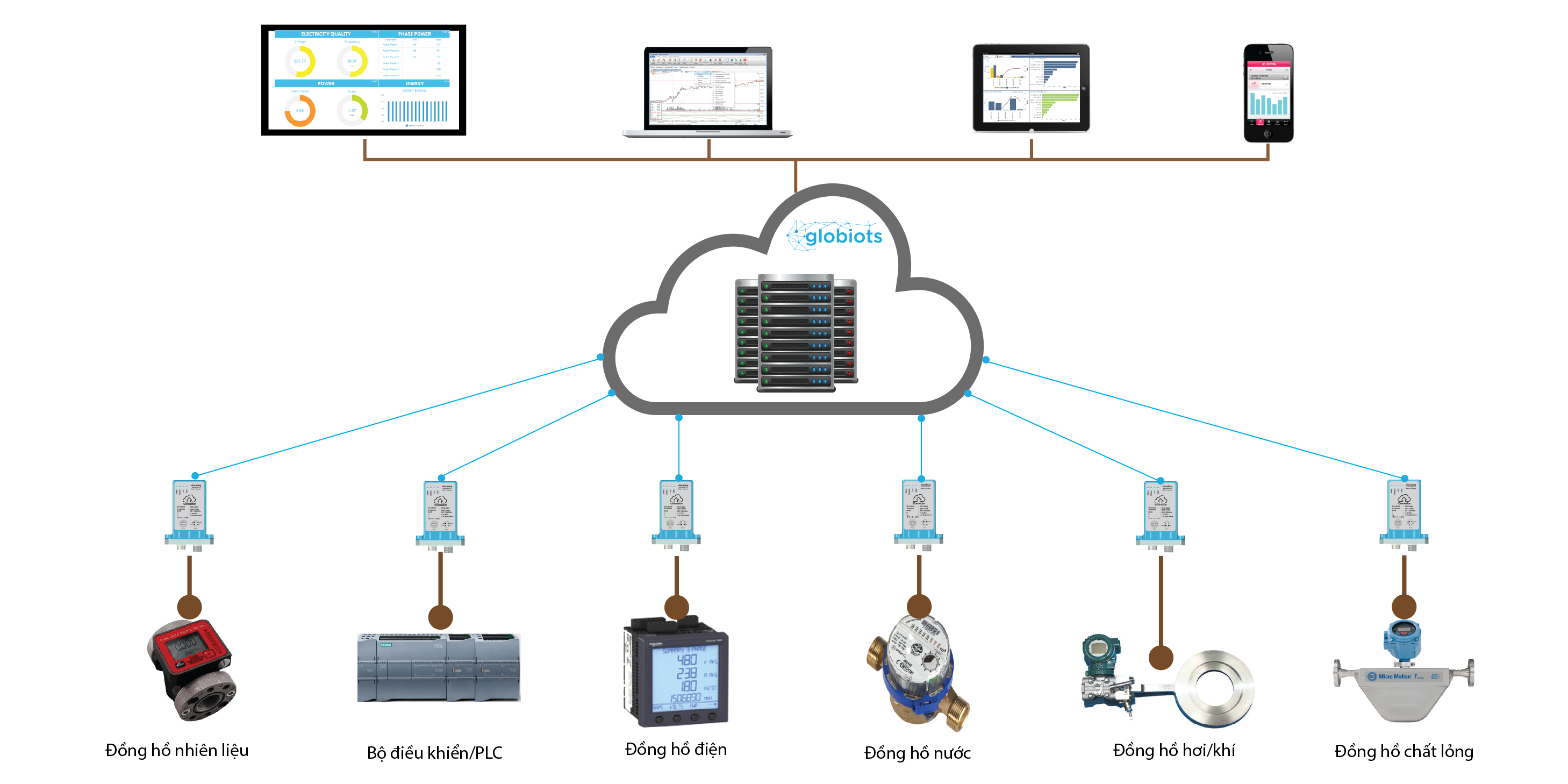
System structure of IoT Globiots energy management system
Main functions
Automatically collect value of energy parameters: total accumulative energy ( kWh of electricity, tonnage of steam, volume of water…), current energy consumption (power of electricity, flow of water, flow of steam…) and energy quality (voltage of electricity, pressure of water, pressure of steam…) from energy meter/sensor
Show current statuses, historical trends and reports of energy during selected period or during time cycle
Immediately notify abnormal alarm and event through web on PC, and through application on smartphone and tablet.
Send scheduled email of energy reports to registered users
Manage account, group and user. Each user is authorized relevant rights and interfaces to manage energy effectively
Highlight features
Typical benefits
Deployment process
Fast deployment in two steps:
Step 1: Connect power meter, gateway iConnector and server
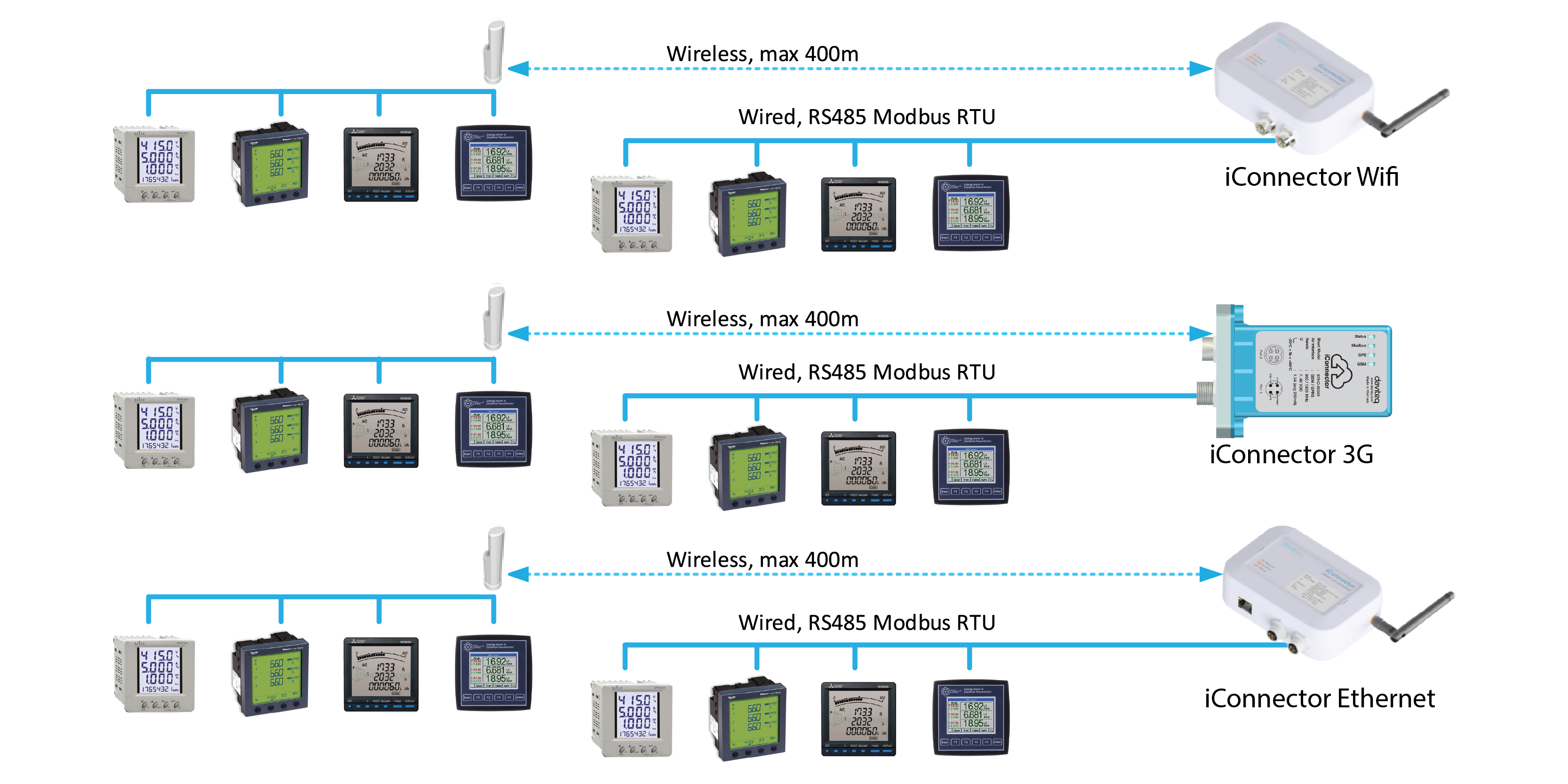
Connection schematic between energy meters and iConnector
Energy meters connect together and then connect to iConnector through port RS485 with Modbus RTU protocol in form of daisy chain using twisted shielded communication cable or wireless network or combination of wired connection and wireless connection. Each iConnector could connect up to 31 energy meters and monitor maximum 64 parameters. Each energy meter must have RS485 port supporting Modbus RTU communication protocol. If energy meter, sensor and equipment have no RS485 Modbus RTU port, a converter to RS485 Modbus RTU should be added.
iConnector supports a connection to different types of power meter and other energy meter/sensor/equipment as below:
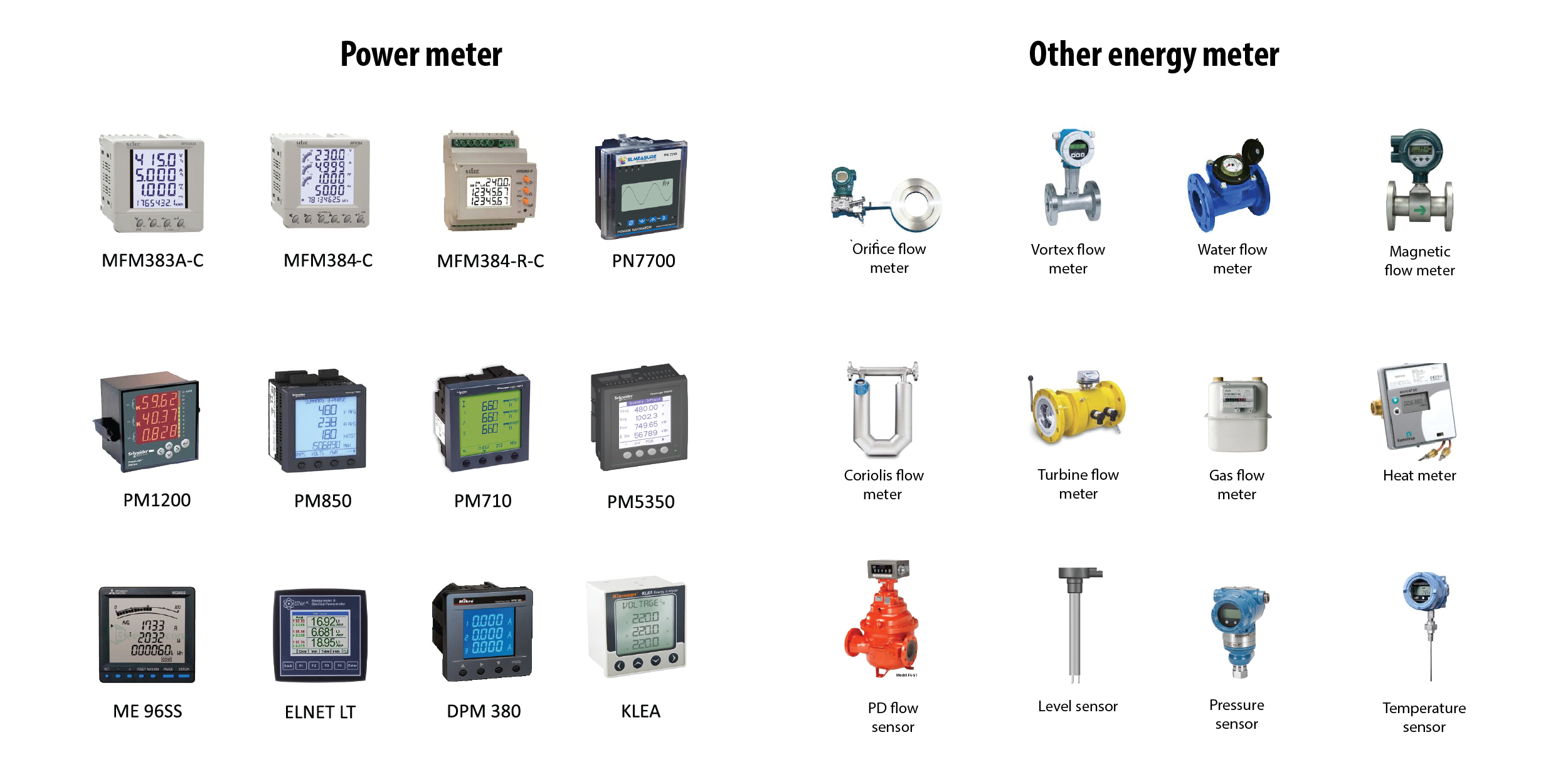
Reference list of energy meter to connect to iConnector
Establish hardware connection between iConnector and on premise server or cloud server: install SIM card for 3G iConnector or plug LAN cable to Ethernet iConnector or setup WiFi network for WiFi iConnector.
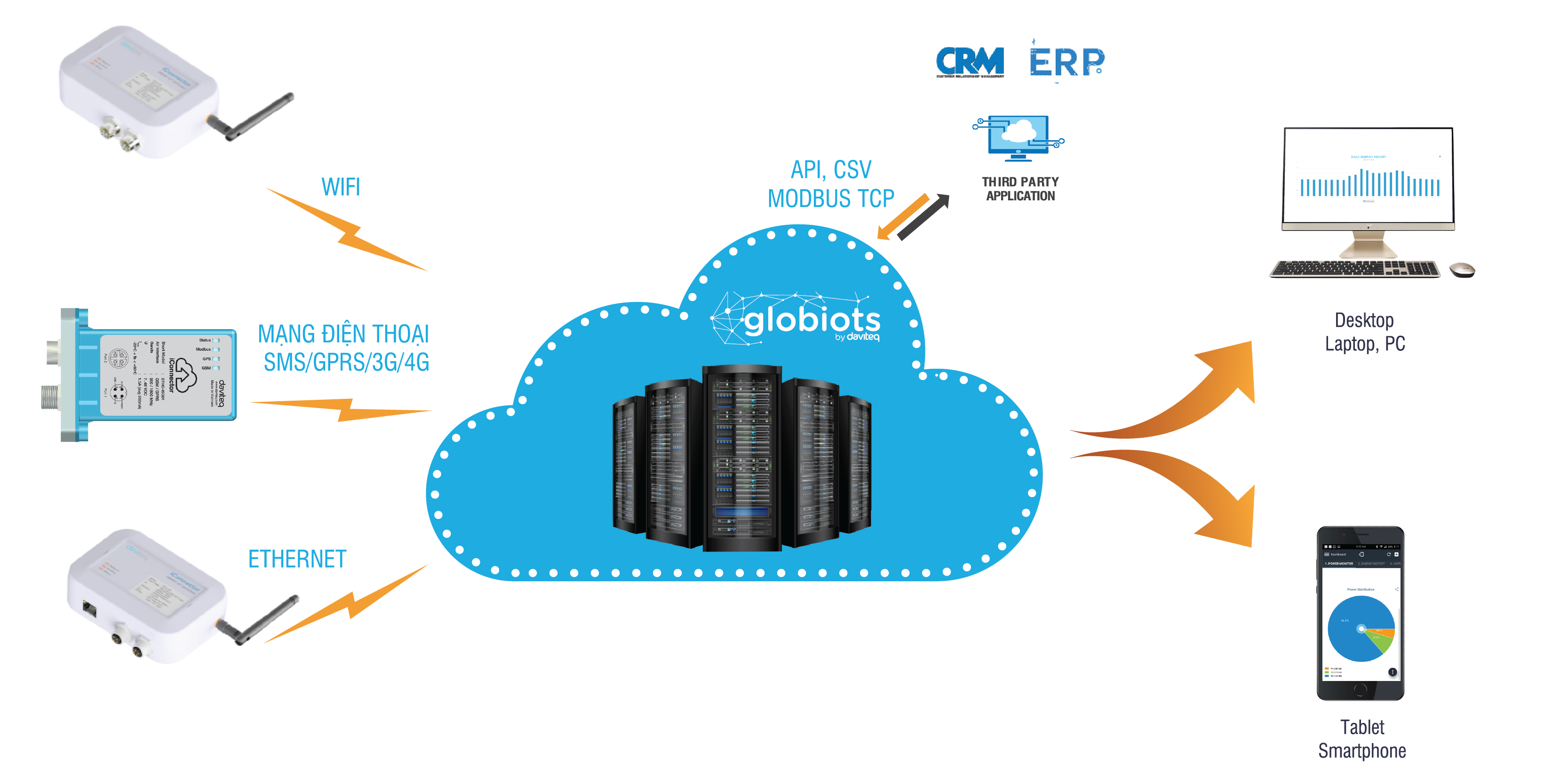
Schematic of connection between iConnector and IoT Globiots server and connection between IoT Globiots server and visualization device (PC/ tablet/ smartphone)
Step 2: Remotely configure for system, device and parameter through web
Power up for all system and sign in on web browser (Google, Chrome, Firefox…) with provided user and password to configure system, iConnector, parameter, alarm, event, dashboard interface, report, automatic email, automatic SMS, group management, and user management and then synchronize configurations to remote iConnector. After configuration, user could access software to manage energy.
Energy reports
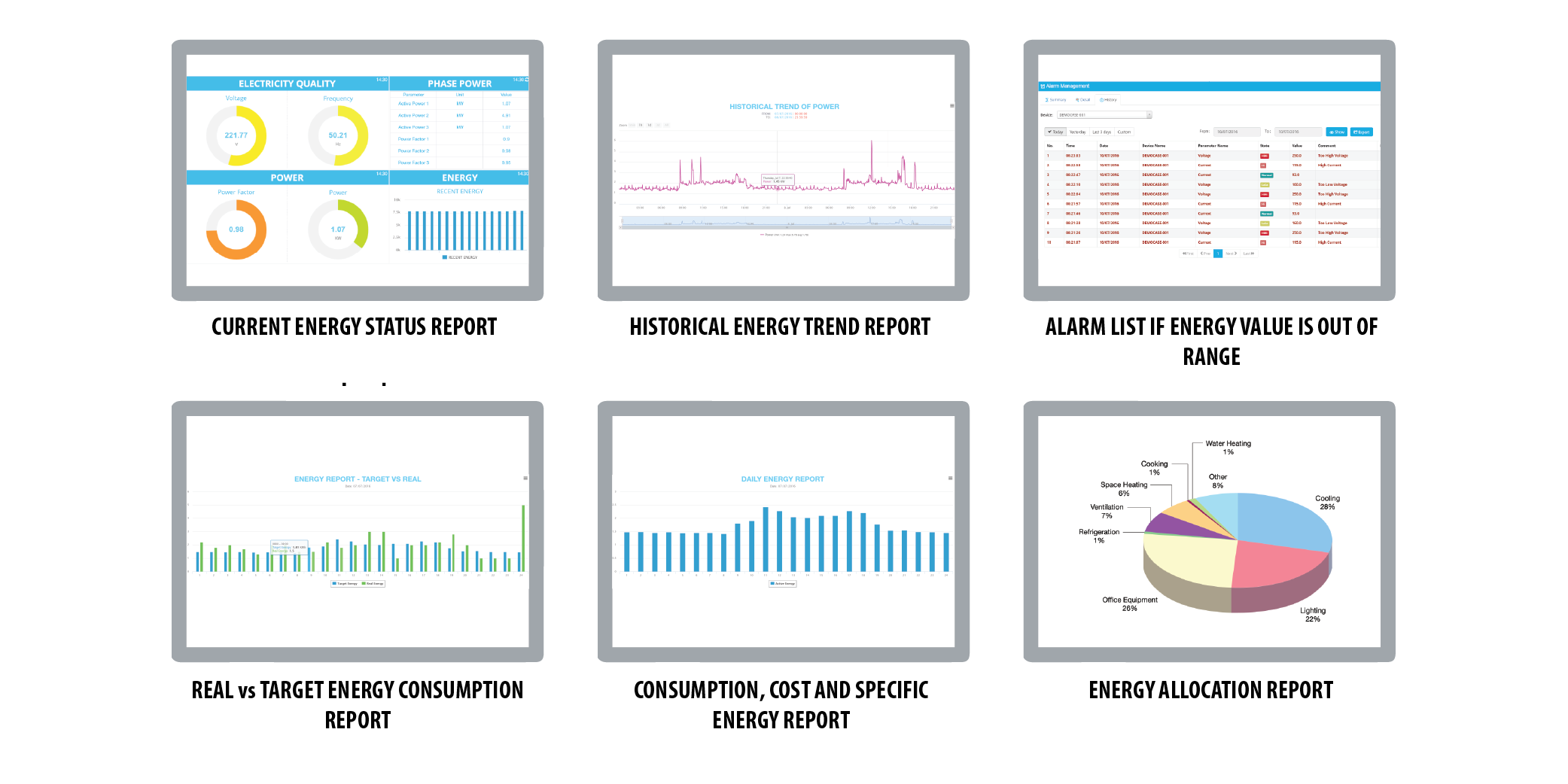
Energy reports on PC or tablet
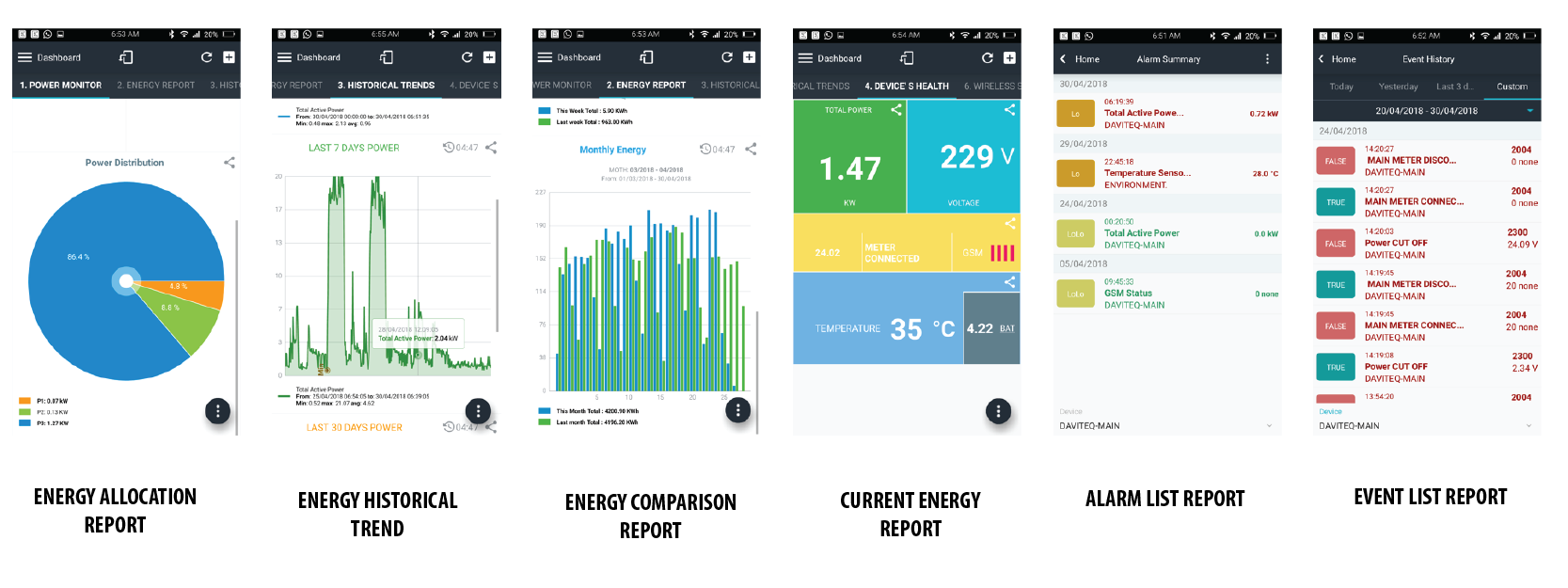
Energy reports on tablet or smartphone
If customer requests customized functions or customized energy reports, VTL TECH will design them with additional cost
Solution packages
| Category | Cloud | Private Cloud | Enterprise |
|---|---|---|---|
| Product | |||
| Energy meter | Sell (if unavailable) | Sell (if unavailable) | Sell (if unavailable) |
| iConnector | Sell | Sell | Sell |
| Server + software | Provide as yearly service | Provide as yearly service | Sell |
| Relevant Customer | |||
| Number of iConnector | Having few iConnectors | Having few iConnectors | Having more than ten iConnectors |
| Company scope | Small and medium company having no IT department to operate and do maintenance the server and the software | Small and medium company having no IT department to operate and do maintenance the server and the software. Company requirements for private system, own logo and own theme on software | Big company having IT department to operate and do maintenance server and software. Security policy requirement for local energy information only |